
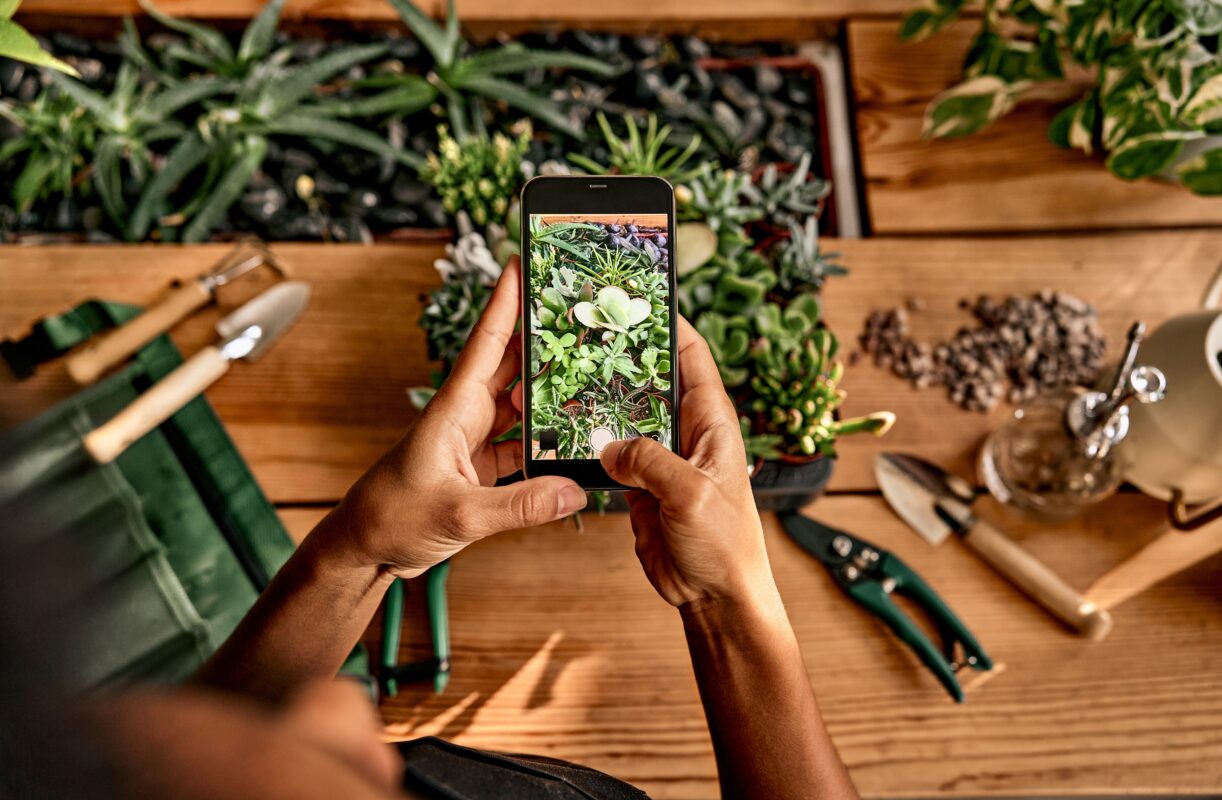
Your first order of business is to TAKE A PICTURE OF THE PLANT! When you’re strolling through the Jackson Park, you’ll often think that the details of any plant that strikes your fancy will be indelibly engraved on your brain. I suffer from this delusion, too, but bitter experience has taught me that (a) it’s not true, colors and shapes are suddenly vague, and (b) often the detail you need to know to put a name on the plant is a detail that, at the time you were looking at it, you didn’t realize was important and didn’t actually notice.

Are the leaves alternate or opposite?

How many petals does the flower have?

What’s the shape of the stem?

These days, chances are very good that you already have an highly sophisticated camera in your pocket (also useful for making phone calls) — use it to take several pictures of the plant that will record features you may need to determine when you’re trying to put a name on it (overall appearance of the plant, the flowers, leaf shape, leaf distribution, the stem and, if present, any fruit or seeds).

Even if you use a plant ID app (see below), you’ll want these pictures when you return to this website to check that the app was actually correct in its identification — the apps are wonderful, but not infallible.

step 2: get a plant identification app

If you’re like me, you hate installing new apps on your phone, but a plant identification app will bring joy to your life (really!) and make you see the world in ways you never dreamed of.

Imagine walking down the street (or in Jackson Park), catching sight of some intriguing plant, and asking yourself “I wonder what that is?” Then, simply by waving your phone at it, you get an answer — the name of the plant, whether it’s native to the area, etc. (Some apps, like Seek, will also do the same for bugs, mushrooms, and non-flowering plants like ferns and mosses.)

Determining an ID in real time really is remarkably satisfying and is guaranteed to impress family and friends.

Plant ID apps are available for both major smart phone platforms (iPhone and Android). I happen to use an iPhone, but you do you. I strongly recommend that you install both Seek (from iNaturalist, the open source repository for images and observations of the natural world) and PlantNet (a citizen science project from Cirad-France to help you to specifically identify plants). Both Seek and PlantNet are available on Apple’s app store (for iPhones) and Google Play (for android phones).

The two apps have different strengths and weaknesses — Seek is more straightforward to use but gives you a single answer with no indication of the strength of that ID; PlantNet is clunkier, but will give you multiple tentative IDs, each with its probability of being correct.

recommended app

Seek from iNaturalist

As you scan multiple instances of flowers and leaves, a series of five empty buttons will fill one by one as Seek narrows the possibilities, working its way down the Linnean hierarchy from Kingdom to species. As the fourth buttons fills, the app will display the genus; by the fifth, it will show genus and species and then offer to show you the common name and other interesting information on the plant. 

In my experience, Seek yields the correct genus on almost all ID searches, but gets the species wrong on about 5-8% of the searches, so always proceed to step 3, below, to confirm the species using this website’s Plant Finder.

download seek from inaturalist
recommended website

Pl@ntNet

If you prefer a website over an app, the website Pl@ntNet will use any photo you submit to return a list of possible IDs and the probability that the ID is correct. You can increase the accuracy/probability by scrolling to the bottom of the screen, choosing “Add images to improve the identification” and adding more pictures of other parts of the plant until you are satisfied with the ID.

If you prefer an app over a website, you can also get an app of PlantNet — go to the website and click the link on the homepage to download the app.

Using either the app or website, take a screenshot so you can enter the genus accurately in the search function built into this website in Step 3. The tools in Step 3 can help you confirm that that species occurs in Jackson Park or allow you to look for a better match among those members of the genus that do occur in Jackson Park.

try pl@ntnet

Tips for a good result:

When using either app, use these tips to increase the accuracy of the app’s predictions:

(1) Give the app multiple pictures of different parts of the plant.

Slowly scan your phone’s camera over the entire plant. Scan multiple instances of flowers and leaves (and multiple instances of the same species of plant, if convenient).

(2) Take a screenshot for yourself to keep.

I strongly recommend you also take a screenshot so you have a record of the ID you can refer to later.

(3) Save the result and narrow it down using our Plant Finder.

If the app hangs at the level of genus and is unable to resolve it to species, take a screenshot anyway. If you have a tentative ID at the genus level, you can enter the genus name in the search function built into our Plant Finder; the website will then show you all the species in Jackson Park that are members of that genus. (Most genera in Jackson Park are represented by only one or two species. In the worst case, you’ll get ten species of asters, twelve species of goldenrods, or fifteen species of sedges to choose among. This is where you’ll be happy you took pictures of the plant.)

Step 3: Plant Finder

This website’s Plant Finder function includes the ability to search among the plants known to occur in Jackson Park plants by:

Common name

Scientific name (genus and species)


Genus name alone

Number of petals

Leaf arrangement (opposite, alternate, etc.)

Flower color

and more!

No app’s result will be as good as an assessment filtered through your own judgment. When an app has provided you with a tentative identification, use the sorting criteria (especially sort by genus) in the Plant Finder to browse the detailed photos, descriptions, and fun facts available here to confirm the identification – and possibly learn something that will surprise you while you’re at it!

start using the plant finder!